 CCCM BellhouseOS · sports academies · athletic homeschools
The operating system for your program.
Sports academy and athletic homeschool software, with your website included.
CCCM BellhouseOS runs a sports academy from one staff desk and one parent desk: rosters, attendance, messages and family billing, plus waivers and photo permissions signed for each athlete. It's built for academies that train homeschool athletes during the day, and CCCM builds and runs your website. Sports: $500 one-time setup, then $149 per month. School: $1,000 one-time setup, then $179 per month. Full (Sports + School): $1,500 one-time setup, then $250 per month. Families pay a 3.25% + $1.50 Service fee per payment, on top of the club's price. Each club is paid directly by Stripe through its own connected account, and Stripe's own fee (an estimate: about 2.9% + 30¢ on a typical US card) comes out of the club's payout. No online checkout.

Watch: the BellhouseOS film
BellhouseOS is software from CCCM Consulting that runs a sports academy from one staff desk and one parent desk: rosters, attendance, messages, scheduling, registration and family billing, with waivers and photo permissions signed for each athlete. It is built for academies that train young athletes, including homeschool athletes during the school day, and CCCM builds and runs the academy's website.
Transcript
Every academy starts with a vision. A belief that there is a better way to develop athletes. Bryan and Oscar built NXT around a simple idea. Combine the creativity of futsal with the competitive demands of soccer. Futsal builds technical confidence. Soccer develops tactical understanding. Together, they help create complete players. But as the academy grew, so did the responsibility. Managing athletes was only part of the challenge. NXT needed a system built specifically for sports academies, not just teams. Scholarships. Communications. Scheduling. Registration. Payments and invoicing. All in one place. Parents and athletes see the same record on their phone. Today's session, notices, payments, and the athlete's portfolio. Today, BellhouseOS helps keep athletes, families, coaches, and staff connected. So the focus stays where it belongs. Developing athletes. Supporting families. Building futures. NXT Soccer X Futsal, powered by BellhouseOS. The operating system for sports academies. Built for academies. Not just teams.
Every functional area.
High-res screens from the BellhouseOS sample desk (North Court, made-up families and athletes, not a live academy) — not stock sports imagery. Open the same sample desk to click through it.
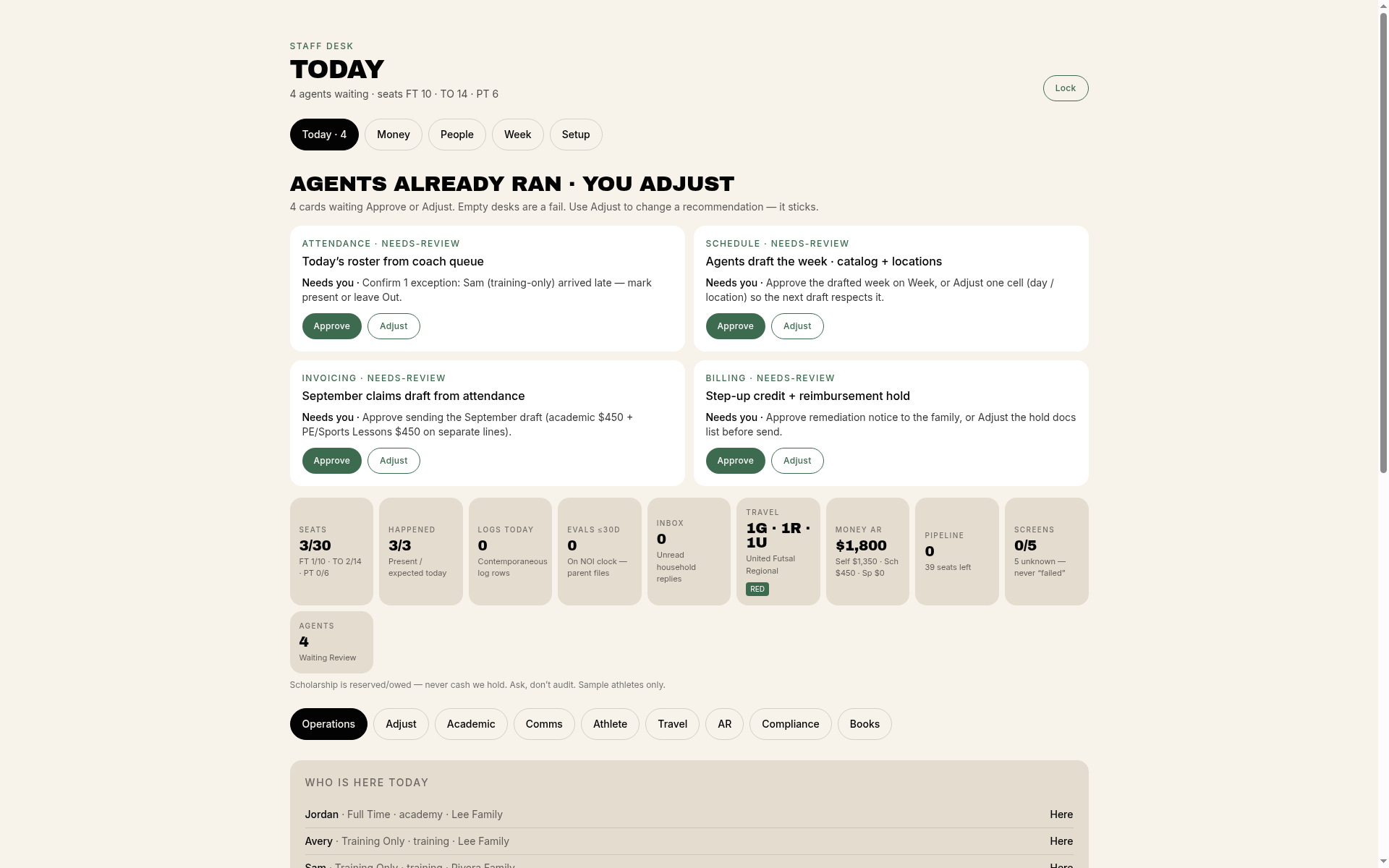 Today
Staff desk — today
Who showed and what needs a person today.
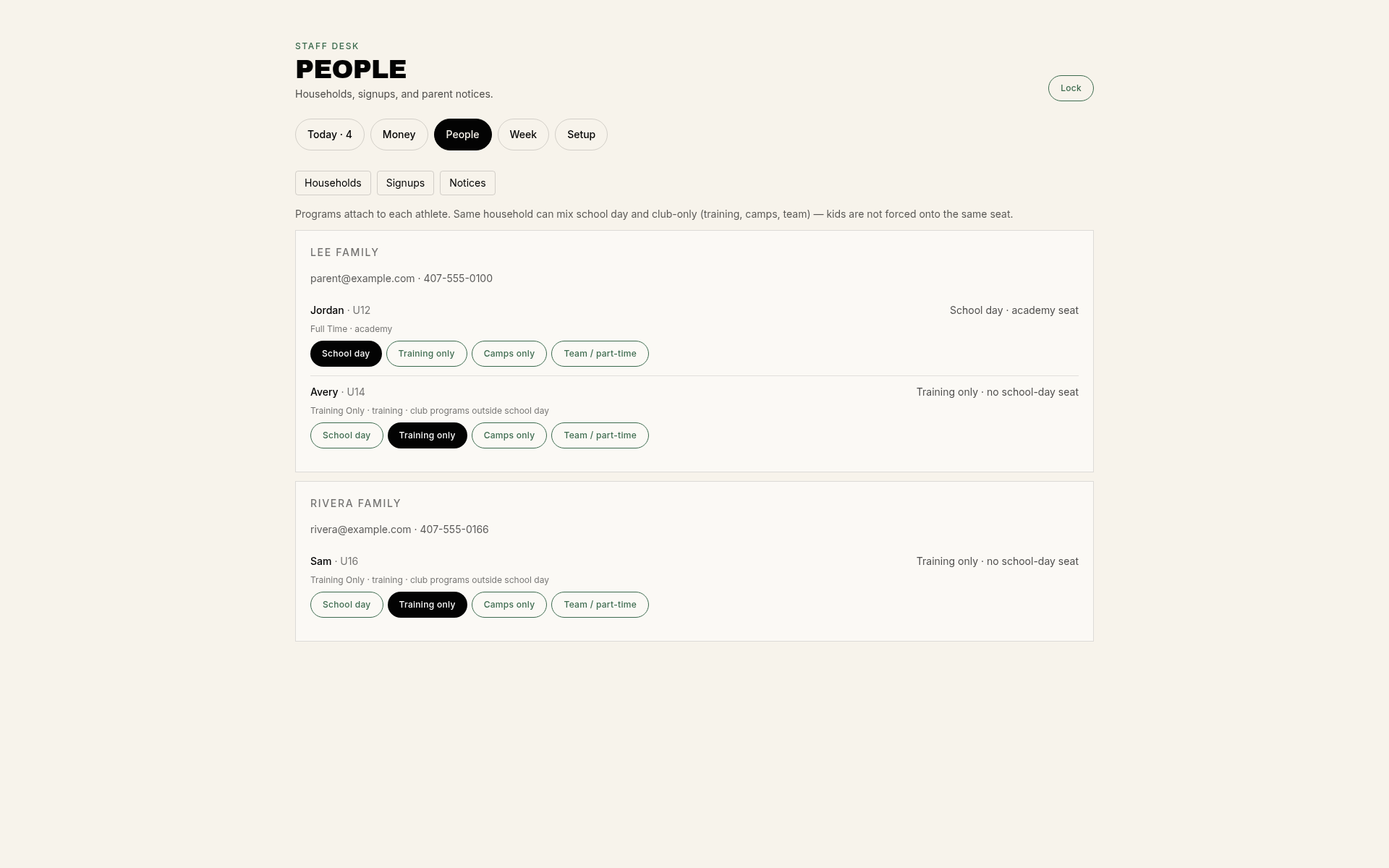 Roster
Operations roster
Seats, status, and who is on the sheet for the day.
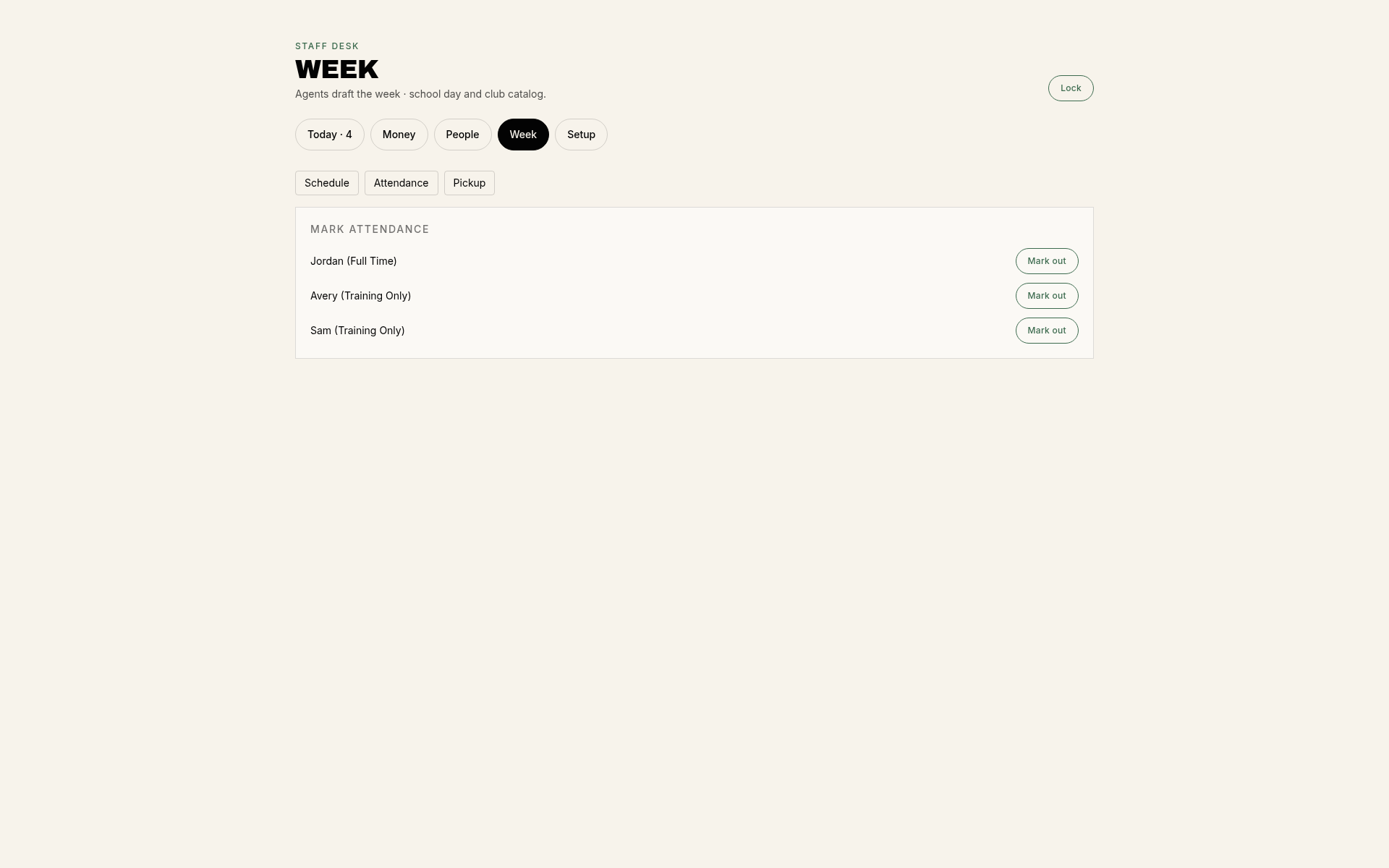 Attendance
Who is here
Attendance for the training day, shown with sample athletes.
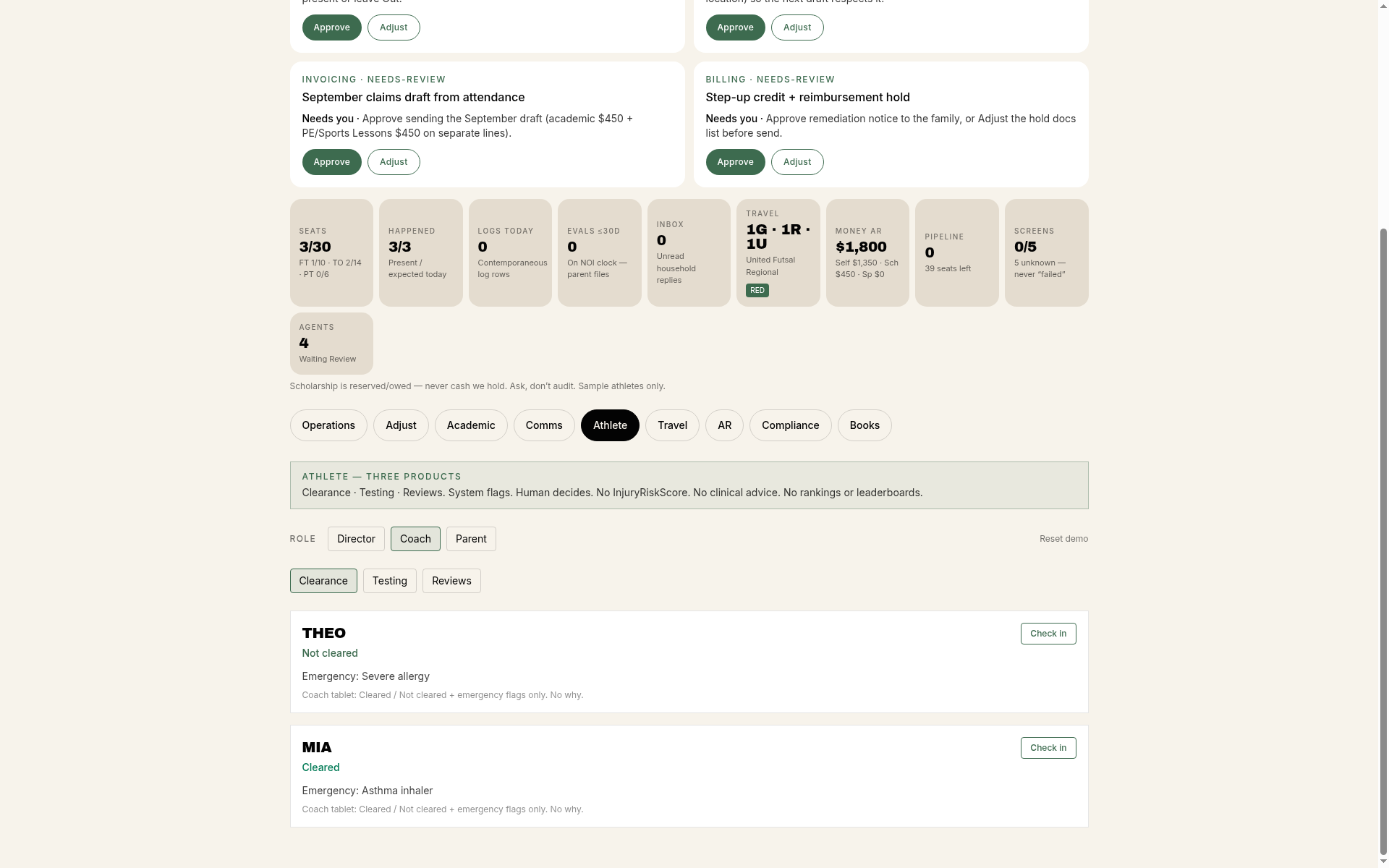 Clearance
Athlete documents
Which documents each athlete has on file.
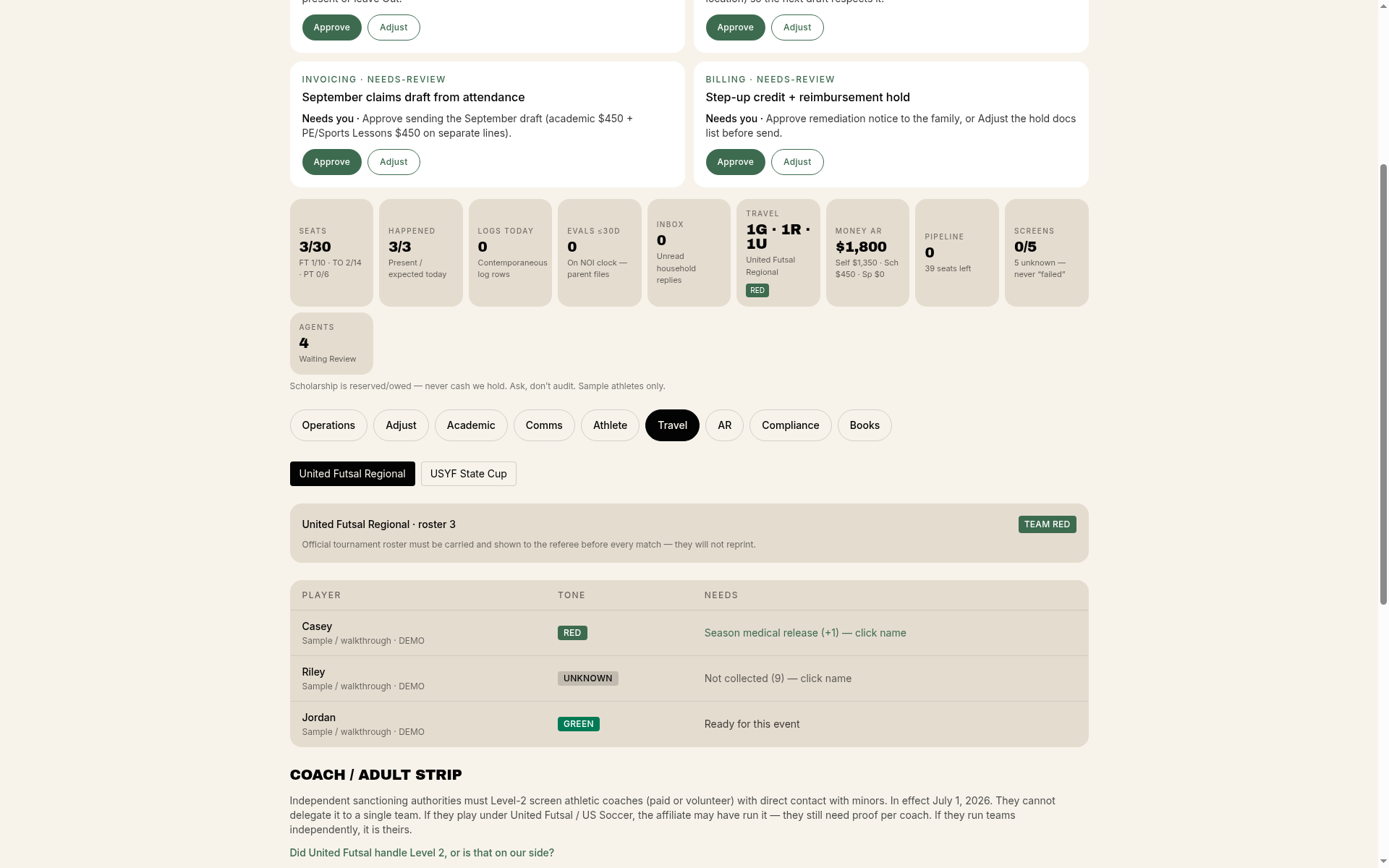 Travel
 packets
Who travels and who is travel-ready.
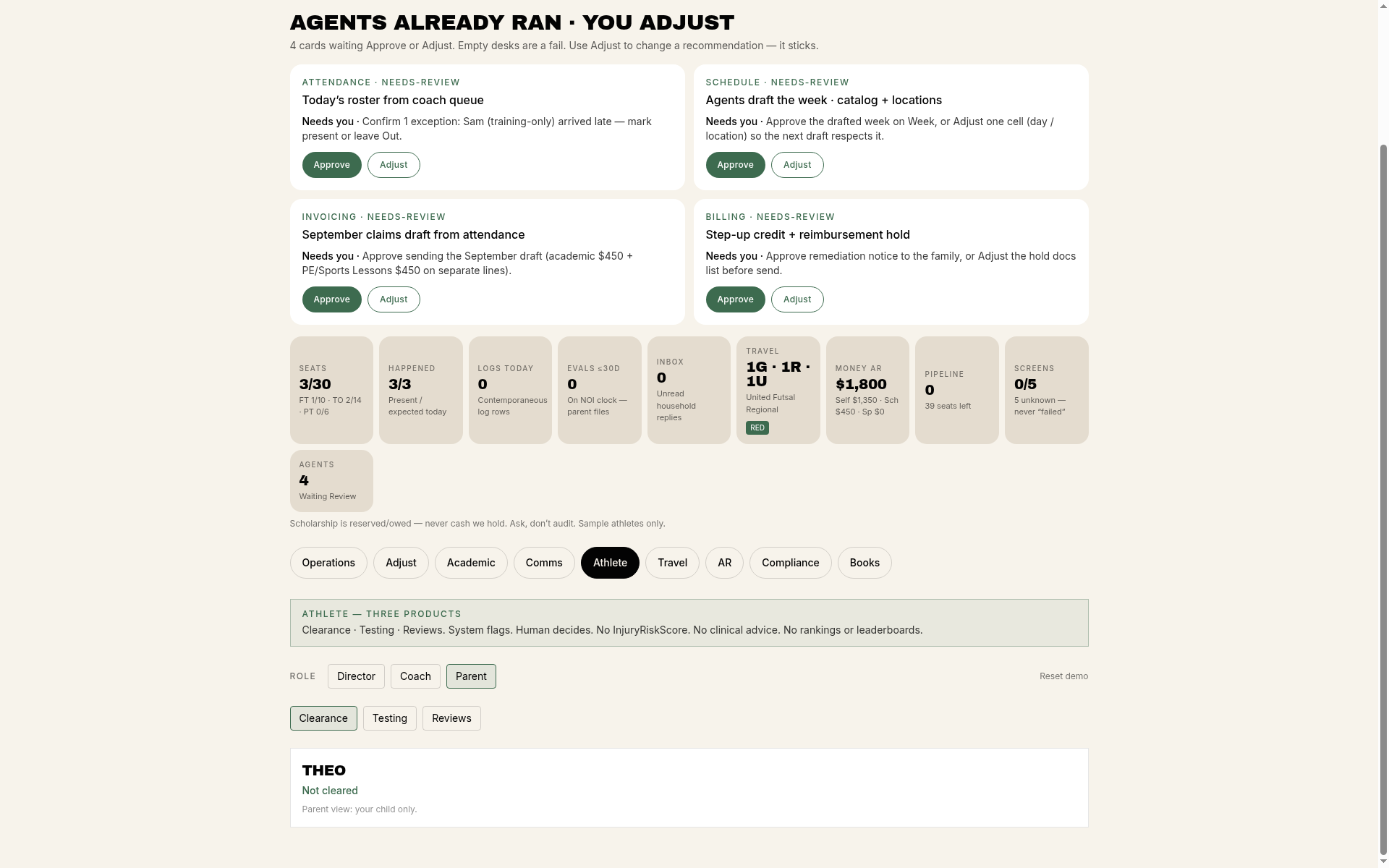 Parent view
Family view
What parents see for the session and the week.
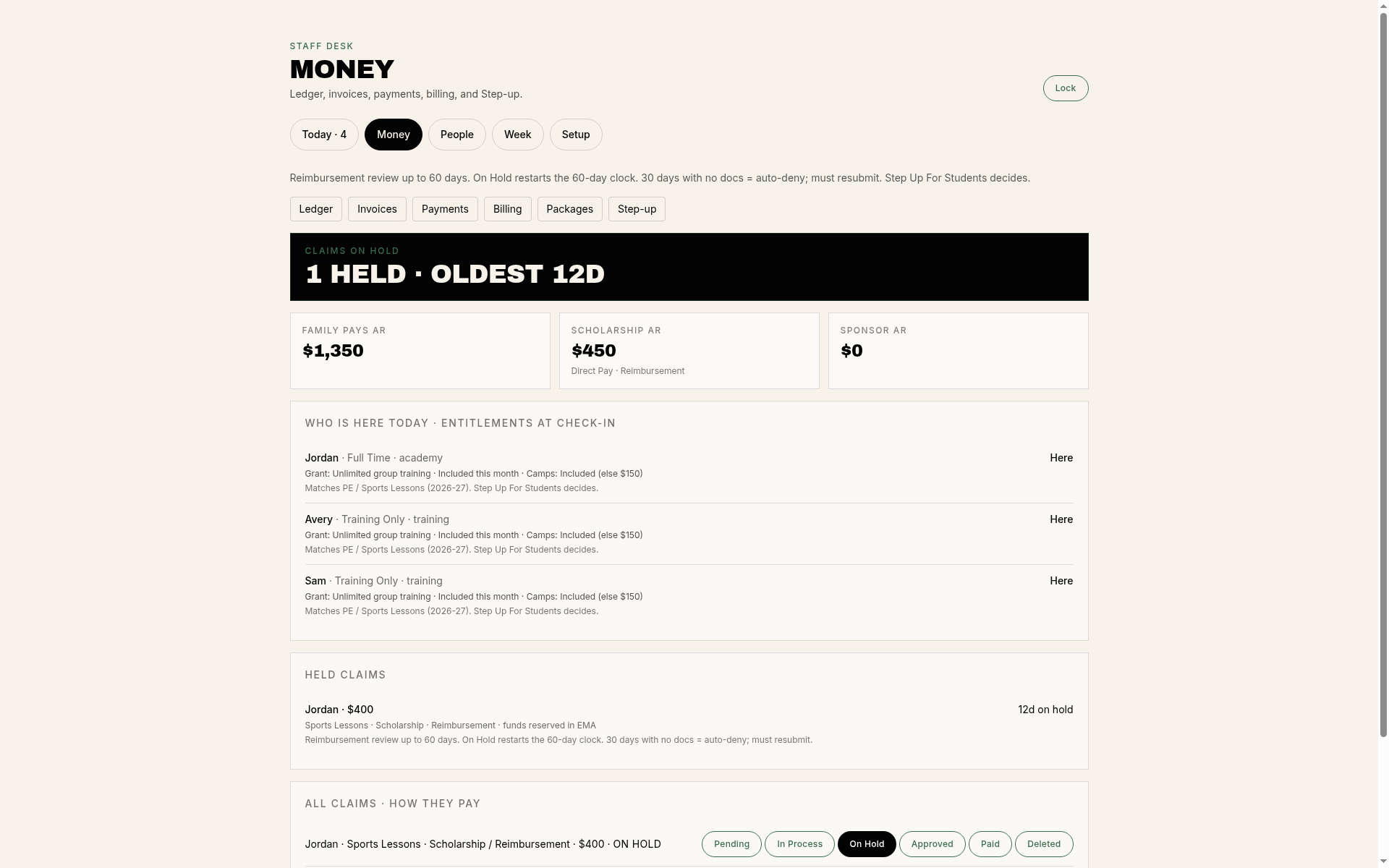 Family pay
Money desk
Ledger, invoices, and what a family owes.
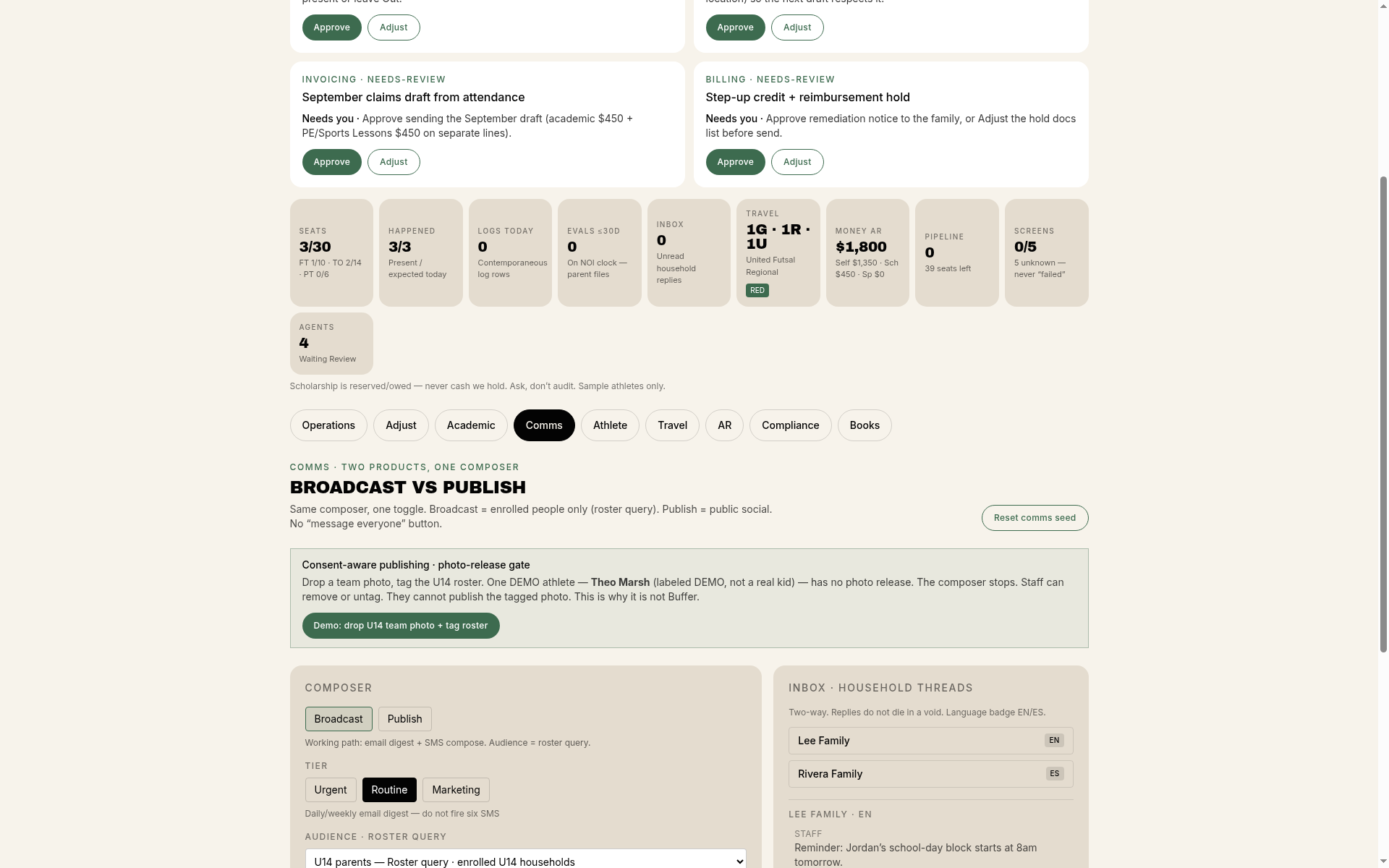 Comms
Communications
Messages to the right households.
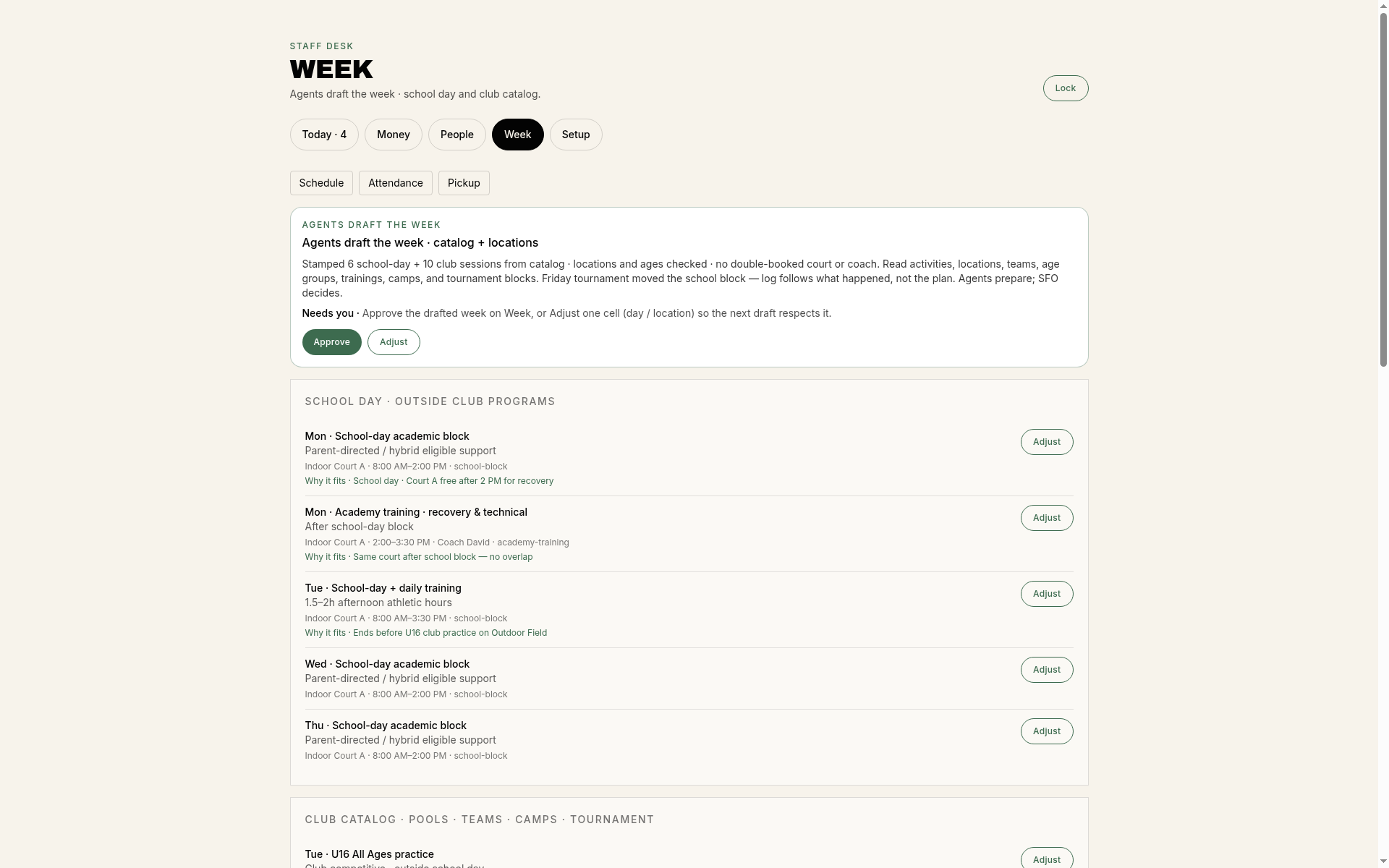 Schedule
Week on the board
Sessions, blocks, and adjustments for staff.
 BellhouseOS pricing
Sports, School, or both
Every tier includes family accounts with signing first, the staff desk, the parent desk, messages and your academy's website.
Sports
Sports clubs and academies
- One-time setup
- $500
- Per month
- $149
- Registration, with waivers and photo permissions signed first
- Team rosters and fixtures
- Schedules on each family's parent desk, plus travel packets
- Payments: one family balance, with payment reminders
School
Daytime and homeschool programs
- One-time setup
- $1,000
- Per month
- $179
- Enrollment, with agreements signed first
- Student and family records on one staff desk
- Class attendance
- Parent messages, plus a parent desk for each family
- Tuition billing, including Step Up For Students splits
Full (Sports + School)
Best valueAcademies that run both, like a futsal academy with a homeschool day program
- One-time setup
- $1,500
- Per month
- $250
- Everything in Sports and School
- One family balance across siblings and programs
- One staff desk for both programs
Sports and School bought separately cost $328/mo, versus $250/mo for Full.
Add-ons
- Themed mobile app
- $250/mo
- GEO
- Priced separately, ask us
- Custom domain
- Priced separately, ask us
- Data and file retention
- Priced separately, ask us
- Integrations
- Priced separately, ask us
Service fee Families pay a 3.25% + $1.50 Service fee per payment, on top of the club's price. Each club is paid directly by Stripe through its own connected account, and Stripe's own fee (an estimate: about 2.9% + 30¢ on a typical US card) comes out of the club's payout.
Custom work is priced separately. No online checkout: talk to us to get started.
Who it’s for
- Sports academies with daytime or homeschool programs
- Futsal and soccer academies
- Families-first programs with sibling discounts, plans and term tuition
Who it’s not for
- School athletic departments that need state eligibility tracking
- Leagues that only need game scheduling
What the sample desk shows
- A desk for the day (attendance, schedule, messages)
- Each athlete's documents in one place
- Travel-ready or not, per player
- Messages to the right families
Questions about CCCM BellhouseOS
- What is CCCM BellhouseOS?
- Software that runs a sports academy's day: a staff desk for the team and a parent desk for families, with the academy's website built and run by CCCM Consulting. BellhouseOS is made by CCCM Consulting.
- Who is it for?
- Academies that coach young athletes, especially programs that train homeschool students during the school day. NXT Level Academy, a family-owned futsal academy in the Orlando area, runs on it.
- How much does it cost?
- Sports: $500 one-time setup, then $149 per month. School: $1,000 one-time setup, then $179 per month. Full (Sports + School): $1,500 one-time setup, then $250 per month. Families pay a 3.25% + $1.50 Service fee per payment, on top of the club's price. Each club is paid directly by Stripe through its own connected account, and Stripe's own fee (an estimate: about 2.9% + 30¢ on a typical US card) comes out of the club's payout. No online checkout. The themed mobile app is an optional add-on. GEO, a custom domain, data and file retention, and integrations are priced separately; ask us.
- Does tuition bill every month on its own?
- Yes. Monthly plans invoice each cycle automatically, and every invoice lands as a draft the staff approves before it's sent, so nothing goes out unreviewed. Clubs can turn on late fees with their own grace period — a waived fee is never charged again — and offer sibling, multi-program and coupon discounts.
- Can families pay with a Step Up For Students scholarship?
- Yes for Step Up in Florida: an invoice can be split between the scholarship and the family, and the desk tracks each part until it's paid. Staff still submit the scholarship's share in each program's own system, and each program decides whether your sessions qualify.
- How do waivers and photo permissions work?
- Families sign the agreement, a waiver for each child and a photo decision when they create their account, before they can book. “No photos” is a valid answer. Nothing showing an athlete can be posted without the right permission. Your lawyer supplies the waiver wording; BellhouseOS stores it, keeps versions and collects signatures. Families can download a copy of what they signed from the parent desk.
- Do waivers ask for medical details?
- No. Waivers and photo permissions don't ask for medical details.
- What happens to student data?
- Student records are never sold, never used for ads and never used to train AI. Student data and security explains what applies today and which controls are built but not yet switched on for any academy.
- Can you move us off spreadsheets or another app?
- Yes. During setup we bring in your families, athletes and schedule.
- Can we get our data out?
- Yes. Staff can download the family list and tournament rosters as CSV files.
- Can families add the schedule to their phone calendar?
- Yes. Each household gets its own private calendar feed to subscribe to in any calendar app.
Last updated
Guides for academies
Comparing platforms in depth? See our BellhouseOS vs TeamSnap comparison.
Against the platforms most academies already know
Seven platforms academies and clubs compare most often. Nothing here assumes a sport: the same table reads for a training hall, a court, a pool or a field.
What we do better
- Your website, built and run Designed, hosted and maintained for the club, on the same system as the desk.
- Papers that ask for nothing medical Three documents signed in one pass, and none of them asks a health question.
- One desk for the day Opens on today's work, with the day drafted and one approval each.
- One place for families The family view and the staff view are one record.
- A roster families can read One roster takes attendance and feeds what each family sees.
- One balance per family Siblings and every program land on one balance.
- Reminders that run on their own One fixed schedule of touches, from the first reminder to the final notice.
- One invoice, two payers The scholarship share is a payer on the invoice, followed until it clears.
- Signed before anything is booked A family is cleared before it books, on the day it joins.
- A signature for each child One agreement per athlete, signed by that athlete's guardian.
- A photo decision that holds The photo decision is checked at the moment something would be posted.
- The signed copy, on demand The family pulls up its own signed copy, with a hash of the text beside it.
- Travel readiness, per athlete Clearance per athlete, read before departure.
- Card payments online Card payments post against the invoice, with the fee on its own line.
- Your families move in with you Setup is run with the club, and the counts come back before anything goes live.
The platforms, side by side
| Platform | What it is organized around | How a club pays for it | Website |
|---|---|---|---|
| Jersey Watch (opens in a new tab) | Registration and payments for clubs and leagues, with a do-it-yourself website builder included. | A monthly plan, plus a charge on each registration payment. | Builder included |
| SportsEngine HQ (opens in a new tab) | Club and league websites, registration and member management. | A monthly or annual plan, plus a charge on each transaction. | Builder included |
| TeamSnap (opens in a new tab) | Team communication, schedules and registration for clubs and their teams. | A club subscription by quote, plus a charge on each transaction. | Quoted separately |
| Jackrabbit Class (opens in a new tab) | Enrollment, billing and attendance for class-based businesses. | A monthly plan that scales with student count. | Not included |
| iClassPro (opens in a new tab) | Enrollment, billing and a parent portal for class-based businesses. | A monthly plan by tier. | Not included |
| LeagueApps (opens in a new tab) | Registration, programming and payments for clubs and leagues. | A charge on each payment, with a designed site as a separate piece. | Quoted separately |
| Upper Hand (opens in a new tab) | Scheduling, training and payments for academies and facilities. | A monthly plan on annual billing, plus a monthly add-on for the site. | Monthly add-on |
What BellhouseOS does, capability by capability
| Capability | What it does | Why it matters | Where it sits |
|---|---|---|---|
| Your website, built and run | CCCM designs, hosts and maintains the academy's public site, and its pages sit on the same system as the desk. | Families find the academy and its programs in one place, and the site stays current without staff maintaining it. | Jersey Watch and SportsEngine include a builder the club runs itself, TeamSnap and LeagueApps quote a designed site as a separate piece, Upper Hand sells it as a monthly add-on, and Jackrabbit Class and iClassPro do not include one. |
| Papers that ask for nothing medical | The agreement, the waiver and the photo decision ask for a signature and a decision, and no health question is on any of them. | Families hand over less about a child, and the academy holds less that could go wrong. | Here the agreement, the waiver and the photo decision ship with the desk, in the club's lawyer's words, stored and versioned where the family signs them. |
| One desk for the day | The day's work, the money, the people, the week and setup sit on one screen, with everything waiting on a person at the top of it. | Staff work one screen instead of four, and the day closes at the desk. | This one opens on the day's work, with the money, the people and the week a click away on the same desk. |
| One place for families | Balance, statements, documents, pickup authorization and attendance sit behind one family login. | Families answer their own questions at night, and the front desk stops repeating itself. | Here the family view is the record staff work from, so there is no second copy to fall out of step. |
| A roster families can read | Seats, status and who is on the sheet for each session, taken on the roster the family also sees. | A roster staff and families both read cannot disagree with itself. | Here the same sheet takes attendance and shows each family its own child, so the roster staff hold and the roster families read are one record. |
| One balance per family | Every charge and payment lands on one family balance, with the plan, the discount and the payment method written on the line. | Month end is a read, and a family asking what it owes gets one answer. | Siblings and several programs land on one family balance here, so the family's whole account reads in one place. |
| Reminders that run on their own | A fixed schedule of touches from a reminder before the due date through to a final notice. Overdue invoices land on the staff's Today queue until they clear. | Balances clear without someone working a list by hand. | A club chasing balances by hand reaches the loudest cases. A fixed schedule reaches every family, in the same tone, on the same day. |
| One invoice, two payers | A scholarship share stands as its own payer on the family's invoice, and the desk follows each part until it clears. | Both balances sit on one document instead of an award letter reconciled against a sheet each month. | An award letter held outside the billing system gets reconciled against a sheet each month. On one invoice both balances sit together until each clears. |
| Signed before anything is booked | A family creates the account, signs for each child and records a photo decision, and registration opens after that. | A family is cleared on the day it joins rather than at the first session. | When the signature travels with the booking it arrives at the same moment as the registration. Here the family is cleared before it books. |
| A signature for each child | Each athlete carries their own agreement and waiver, and an adult signs their own. | One child's paperwork never stands in for another's. | One signature per household covers the second child with the first child's paperwork. Here each athlete carries their own. |
| A photo decision that holds | A decision recorded for each athlete, checked at the moment anything showing that athlete would be posted. | The rule is enforced where the posting happens instead of remembered later. | A photo answer kept on a form is a preference someone has to go and look up before posting. Here the check runs where the post would happen. |
| The signed copy, on demand | The signed document renders to a PDF the family downloads, with a hash of its text stored beside it. | A question years later is answered with the document itself. | Asked for a copy, the office searches its files. Here the family downloads the document it signed, with a hash of its text beside it. |
| Travel readiness, per athlete | Which documents each athlete has on file, and a readiness read before every trip. | Clearance is a read before departure instead of a chase the night before. | Document expiry kept beside the system in a spreadsheet is a chase the week before a trip. Here it is a read before departure. |
| Card payments online | Open invoices are paid online by card through a Stripe Checkout session. Each payment carries one Service fee line on top of the club's price, and Stripe pays the club directly through its own connected account. | Families clear an invoice online without calling the office, and the money goes to the club's own Stripe account. | Card payments are where a tuition-heavy club's payment cost actually sits. Here each payment carries the same Service fee line on every method, and Stripe's own fee shows on the club's Stripe payouts, so month-end is a read. |
| The club sets its own prices | Owners set prices, discounts and plans in the desk: offerings, billing plans, discount rules and tax rates. | A change does not wait on a support thread. | Jackrabbit Class scales its plan by student count and iClassPro by tier, so growth moves a club between plans. Here the club sets what each program costs. |
| Your families move in with you | During setup CCCM brings in the families, the athletes and the schedule. | Switching is a project someone runs for the club rather than one the club runs alone. | Here the families, the athletes and the schedule come in as part of setup, and the counts are shown before anything goes live. |
| Your data comes back out | Staff download the family list and the rosters as CSV files. | The record stays the club's, and leaving is a download. | The record stays the club's. Staff pull the family list and the rosters as CSV files, so a full copy of the club's own data takes one pass. |
Choosing between them
- If the work is spread across tools today. Registration in one place, team chat in another, invoices in a third and the schedule in a spreadsheet. BellhouseOS puts the day, the money, the people and the week on one desk, so the same record answers a staff question and a family question.
- If paperwork and permissions are the worry. A signature per child, a photo decision checked where the posting happens, and a signed copy the family can pull up years later. Where the club keeps those on paper or in a shared drive, this is the part that changes the most.
- If families call the front desk for answers. Balance, statements, documents, pickup authorization and attendance behind one family login. The desk stops repeating itself, and families get an answer at nine at night.
Vendor notes come from public listings and review sites (Capterra, G2, Software Advice) and vendor pages, checked . Plans and payment terms change, so confirm current terms with the vendor before you commit.
Product and company names are trademarks of their owners.
Talk about BellhouseOS
BellhouseOS comes in Sports, School, or Full (Sports + School), from $500 one-time setup and $149 per month.
Or email hello@getcccm.com.
Inquiry only. Or email hello@getcccm.com.